
See which AI models know your brand
How a brand report works
LLMtel asks models about your brand, then tests whether they name it in answers to your questions.
1. Access your account
Sign in to LLMtel with email or Google. Start a report from your account and choose the brand you want to examine.
2. Set up your report
Choose a brand or domain
Enter the brand or website you want to check. Review the public information LLMtel finds for that entity.
Confirm the reference description
Check the summary for the right business, products and location. Edit any inaccurate details before starting the report. This gives you a reference when you read each model’s description.
Choose up to 10 questions. Select suggested questions or add your own, using wording a buyer would use to ask about your category.
3. Open your report
Find the completed run in your reports list. If you have run several for the same brand, use the run date and questions to choose the one you need.
- Brand or domain
- Questions asked
- Run date
- LLM Recognition Score
Open the report to see the detail. For an example, read the PRSA report.
4. Explore the results
Start with direct recognition, then check which answers named the brand for each question.
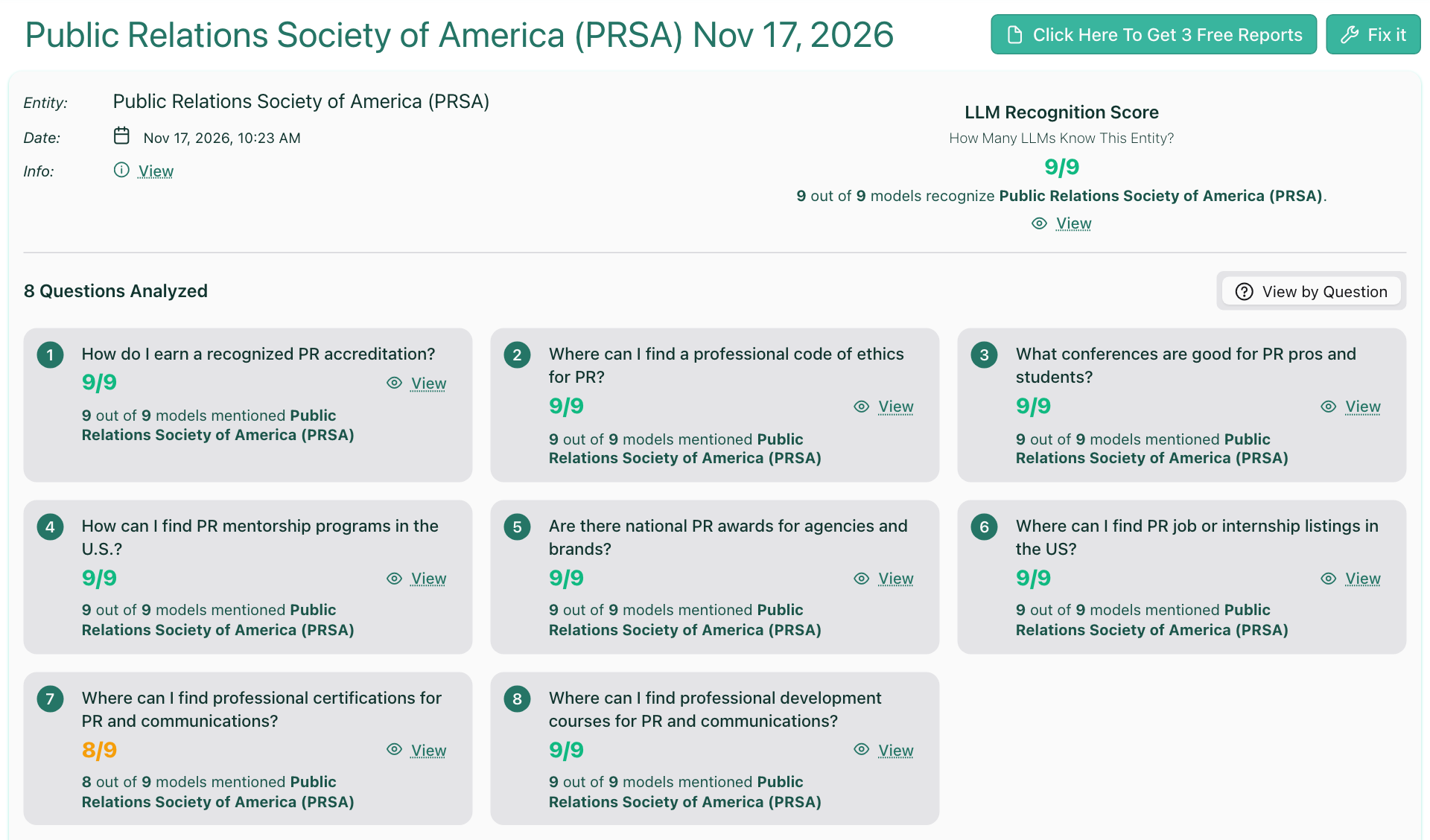
The report includes:
- LLM Recognition Score
- Questions overview
- Other brands mentioned
- Individual model answers
The LLM Recognition Score counts the model configurations that recognized the brand when asked about it directly. All 9 checks recognized the Public Relations Society of America (PRSA) in the November 17 sample.
The questions overview shows the mention count and the number of checks for each question. In the PRSA report, 71 of 72 answers across eight questions mentioned PRSA.
The PRSA report also counted 20 mentions of the Chartered Institute of Public Relations and 16 of the International Association of Business Communicators. Open an individual response to see what it said about each organization.
- Did a model recognize the brand when asked about it directly?
- Did its answer to a particular category question mention the brand?
Use detailed results to read individual answers.
Choose a question that matters to your customers and compare the responses. Check whether each response could use web search.
A “Mentioned” result means the answer included the brand. “Not mentioned” means that particular answer left it out.
On the question about professional certifications for PR and communications, 8 of 9 answers mentioned PRSA. Claude 5.5 mentioned PRSA without web search and left it out with web search.
5. Share your report
Send your report link to the colleagues or clients who need it. For a later comparison, run a second report and open both links.
When you want to compare results
- Save the report link.
- Rerun the same brand and questions at a later date.
- Open both report links to compare the answers.
A difference between runs shows what the models said on those dates. Additional evidence helps explain why an answer changed.